
How Kyocera Printers Can Help Teachers in the Classroom Efficiently
How Kyocera Printers Can Help Teachers in the Classroom Efficiently
Curious about how Kyocera printers can help teachers in the classroom? They automate grading, cut costs, and reduce errors. This article explores these and other ways Kyocera printers streamline classroom tasks and support teachers.
Key Takeaways
Kyocera’s Teaching Assistant® automates grading, providing immediate feedback and reducing errors, which helps teachers focus more on instruction.
The use of Kyocera printers is both cost-effective and efficient, allowing schools to print high volumes of test materials quickly while saving on operational costs.
Seamless integration with classroom technology enhances productivity, enabling teachers to create customized educational materials and securely manage student data.
Kyocera's Teaching Assistant® for Automated Grading

Imagine a classroom where teachers no longer need to spend countless hours grading tests manually. Kyocera’s Teaching Assistant® turns this dream into reality by allowing educators to:
Create tests
Print tests
Grade tests
Analyze tests efficiently
This revolutionary feature transforms Kyocera printers into a complete solution comprehensive hub for managing multiple-choice tests, significantly reducing the job workload for teachers in the future and allowing them to scan efficiently.
Kyocera printers streamline the grading process and enhance overall educational operations by efficiently managing and analyzing test data for each semester. This allows teachers to concentrate more on instruction, simplifying classroom management.
Immediate Feedback for Students
One of the most significant benefits of the Teaching Assistant® is the ability to provide immediate feedback to students:
Quick grading of multiple-choice tests ensures that results are returned sooner.
This enables students to promptly understand their performance.
Students can then adjust their learning strategies accordingly.
Moreover, the detailed reports generated by the Teaching Assistant® include test statistics, histograms, and bar graphs, offering deep insights into student performance. Immediate feedback helps students swiftly identify areas for improvement, enhancing their learning experience.
Reducing Human Error in Grading Tests
Manual grading is prone to human error, but Kyocera’s automated system minimizes inaccuracies. Automated grading provides efficient and consistent results, ensuring accuracy and reliability.
Kyocera printers provide educators with tools that streamline the grading process and enhance data analysis, making it easier to manage and analyze multiple-choice tests. This not only saves time but also increases the reliability of test data, which is critical for assessing student performance accurately.
Comparative Analysis of Student Performance
Comparative analysis of student performance helps tailor instruction to meet individual needs. Kyocera printers enable educators to efficiently manage test data, making comparative analysis of student performance a straightforward task.
Analyzing multiple-choice tests and generating detailed reports allow teachers to identify trends and patterns in student performance. This comparative analysis helps in pinpointing areas where students excel or need additional support, thereby enhancing the overall educational strategy.
Cost-Effective Document Solutions for Schools

Budget constraints are a common challenge for educational institutions. Schools are constantly seeking ways to manage their money while achieving sustainability goals. Kyocera’s TASKalfa Pro 15000c, with its ecological inkjet technology, promotes sustainable printing practices and is committed to being an ideal choice for schools. This plan aligns with their objectives.
Kyocera’s printing solutions are both budget-friendly and enhance educational workflows. Using economical plain paper for test sheets allows schools to reduce costs significantly without compromising quality. This makes Kyocera printers an economical choice for educational institutions.
Efficient Test Printing
Efficient test printing enables teachers to provide timely assessments and feedback to students. Kyocera printers are capable of handling high-volume printing, making them suitable for producing large quantities of test materials quickly. This ensures teachers can focus more on instruction and less on administrative tasks.
The ability to print large volumes efficiently means that test data can be processed and shared in a timely manner, helping teachers to stay on top of their grading and offer immediate feedback to students. In fact, this capability enhances the overall printed educational experience, allowing students to read more effectively and work more efficiently.
Budget-Friendly Printing Options
Kyocera printers combine efficiency with cost-effectiveness. Energy-saving features reduce operational costs, making them a smart choice for schools. Over time, using Kyocera’s printers can lead to significant savings on operational costs due to their energy efficiency.
Kyocera’s toner-saving features reduce toner usage, further decreasing printing expenses. This means that schools can allocate their resources more effectively, ensuring that more funds are available to drastically reduce costs for other essential educational needs.
Enhancing Classroom Productivity with Kyocera Printers
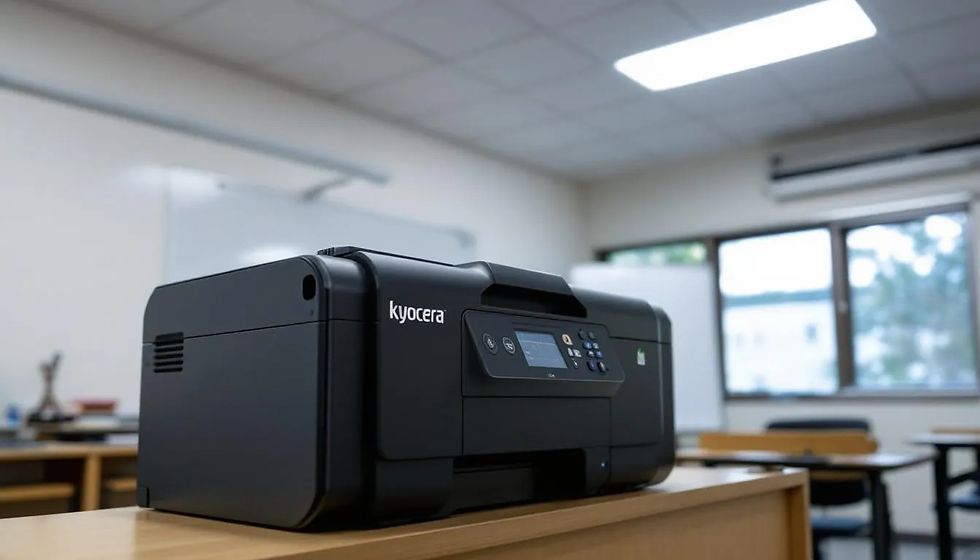
Kyocera printers enhance classroom productivity by serving as comprehensive hubs for creating, grading, and analyzing multiple-choice tests. This allows teachers to concentrate more on lesson planning and instruction instead of administrative tasks.
Advanced features of Kyocera printers boost efficiency and increase productivity, helping schools cut down on printing costs. By integrating test data directly into MS Excel, teachers can perform advanced statistical analyses, further improving instructional strategies.
Time-Saving Features for Teachers
Kyocera printers provide various time-saving features, allowing teachers to focus more on teaching. These printers quickly produce test papers, including multiple-choice formats, facilitating efficient exam preparation.
Kyocera printers also create posters and banners, enabling educators to produce visually engaging materials in-house. This versatility allows teachers to adapt to various classroom needs, enhancing the learning experience.
Secure and Efficient Document Management
Security is a top priority when it comes to handling student data. Kyocera printers enhance student data security by cleared test information after grading securely. This helps in maintaining the confidentiality of student performance data.
Teachers can save scanned test data to a flash drive or email it, which offers the following benefits:
Improves document security
Enhances sharing efficiency
Enables quick and secure sharing of test results
Ensures access only by authorized personnel
Integrating Technology into the Classroom

Integrating technology into the classroom enhances student engagement and learning outcomes. Kyocera printers seamlessly integrate with tablets, laptops, and other classroom technology, simplifying the use of digital resources for teachers.
Kyocera printers support printing on various special media types, enabling teachers to create customized teaching materials. This integration of advanced technology helps create a more efficient and effective learning environment in classrooms.
Seamless Integration with Classroom Devices
Kyocera printers connect easily with devices like tablets and laptops, facilitating smooth document share. These printers connect effortlessly with classroom devices, enabling wireless printing from multiple platforms.
This seamless integration allows teachers to quickly access and print resources, teachers save time and enhancing productivity.
Special Media and Custom Printing
Kyocera printers handle various media types, allowing teachers to create unique and tailored educational materials. These printers support media types like envelopes, postcards, and custom sizes for specialized teaching materials.
This versatility enables educators to create personalized teacher teaching materials, enhancing the overall education lessons experience.
Supporting Teachers with Comprehensive Data Solutions
Kyocera printers offer comprehensive data solutions, supporting teachers in creating, grading, and analyzing tests more efficiently. The Teaching Assistant® feature streamlines these processes, enabling teachers to focus more on instruction.
Kyocera devices support encryption, safeguarding sensitive information during transmission and storage, ensuring student data security. Audit logs monitor access and actions on documents, ensuring traceability and accountability.
Creating Detailed Test Reports
Detailed test reports give teachers a quick overview of student performance, where students performed using visual aids like bar graphs, charts, and histograms. These reports help identify areas needing additional support, enabling tailored instructional strategies.
The comprehensive analytics identify the easiest and most challenging questions, enhancing instructional strategies. This detailed reporting helps teachers continuously improve their methods and support student success.
Using MS Excel for Data Management
Kyocera’s Teaching Assistant® integrates with MS Excel, enabling teachers to perform advanced statistical analyses on test data. This integration simplifies managing and analyzing test data, aiding in developing more effective teaching strategies.
Using MS Excel for data management helps teachers track student performance trends, providing insights to improve educational outcomes.
Summary
In conclusion, Kyocera printers offer a range of features and benefits that can significantly enhance classroom efficiency and productivity. From automated grading and immediate feedback to cost-effective printing solutions and seamless technology integration, Kyocera printers are designed to support teachers and improve student outcomes.
By adopting Kyocera printers, schools can create a more efficient and effective learning environment, allowing teachers to focus on what they do best – educating the future generation.
Frequently Asked Questions
How does Kyocera's Teaching Assistant® help teachers save time?
Kyocera's Teaching Assistant® helps teachers save time by automating the grading of multiple-choice tests and generating detailed reports, so they can focus more on teaching rather than paperwork.
Can Kyocera printers help reduce printing costs for schools?
Absolutely, Kyocera printers can significantly cut printing costs for schools with their energy-saving and toner-saving features, making them a smart choice for budget-conscious institutions.
How do Kyocera printers ensure the security of student data?
Kyocera printers protect student data by clearing test data after grading and using encryption for data transmission and storage, keeping information secure and confidential.
What types of media can Kyocera printers handle for custom printing?
Kyocera printers are versatile and can handle envelopes, postcards, and custom sizes, making them perfect for creating specialized materials that fit your unique printing needs.
How does the integration with MS Excel benefit teachers?
Integrating with MS Excel allows teachers to analyze test data easily, enabling them to spot performance trends and enhance their teaching methods effectively. This can lead to better outcomes for students.


Comments