
Why Consistency Matters More Than Ever in 2026 Offices
Key Takeaways
Kyocera printers offer many advantages, including long-life ceramic drums and separate toner systems that keep devices running for hundreds of thousands of pages with fewer breakdowns and minimal service disruption, reflecting Kyocera's commitment to quality, durability, and sustainability.
The ECOSYS and TASKalfa ranges are engineered to reduce service calls by up to 70-80% compared to integrated cartridge systems, directly cutting downtime and staff frustration.
Kyocera printers are known for their low total cost of ownership due to long-life components and low energy consumption, providing significant cost savings over time.
Robust security features like user authentication and secure print release, combined with energy efficiency and remote management tools, contribute to smoother office workflows.
Consistent performance is especially valuable for regional and community organizations where technician response times can stretch to hours or days.
This article provides practical ways to evaluate Kyocera machines for a 2026 office upgrade or fleet refresh, focusing on reliability over headline specs.
Why Consistency Matters More Than Ever in 2026 Offices
Picture a mid-morning breakdown in a 20-50 person office. The main multifunction printer goes down. Suddenly, finance cannot scan invoices, sales cannot print client reports, and admin cannot copy contract packets. Within hours, staff queue at a backup device, emergency service calls cost $150-300 plus travel, and someone makes an ad-hoc trip to an external print shop at $50-200 per job.
The real costs of disruption extend beyond lost time:
Missed client deadlines that erode trust and damage relationships
Staff productivity losses of 2-4 hours per incident across affected teams
Cumulative annual downtime equivalent to 10-20 full workdays lost across a fleet
Emergency service expenses that blow out predictable operating costs
Hybrid work and 2024-2026 digital transformation trends mean modern businesses now rely on printers and copiers for secure scanning to cloud, document management solutions, and digital approvals. Office equipment is no longer just for basic print jobs.
Kyocera devices are designed specifically to minimize these disruptions through durability, predictable maintenance, and simple user operation. This focus on reliable performance makes Kyocera technology a strategic choice for any office prioritizing uptime.
Built to Run: Kyocera’s Long-Life Components
Kyocera’s commitment to consistency starts with long life components. While many rival devices require drum replacement every 100,000-300,000 pages, Kyocera machines use amorphous-silicon (a-Si) and ceramic drums that achieve lifespans of 500,000 to 1,000,000 pages or more.
This design philosophy means fewer replacements and fewer interruptions:
Drums, fusers, and developer units are engineered to run for hundreds of thousands of pages before major service
Ceramic components resist wear, heat, and friction far better than organic photoreceptors used by other brands
Fewer technician visits translate directly to less time where devices are unavailable to staff
Reduced maintenance supports a “fit-and-forget” experience for day-to-day printing
This long-life approach underpins both the ECOSYS and TASKalfa product lines, delivering dependable performance that keeps office workflow moving without constant intervention.
ECOSYS & TASKalfa: Engineered for Fewer Interruptions
Kyocera offers a comprehensive range of office printers, with each Kyocera copier engineered for versatility and high performance across different business needs.
ECOSYS models suit small businesses and moderate-volume offices:
Separate toner and drum components mean users only replace toner in regular operation
Toner yields range from 12,000-42,000 pages depending on model
Ideal for environments printing up to 50,000 pages monthly
Simple toner swaps take minutes without tools, reducing unnecessary servicing
TASKalfa devices are high-duty workhorses for corporate and education settings:
Built for high volume printing, the TASKalfa series is designed for businesses with demanding printing needs, featuring advanced capabilities such as faster print speeds (up to 70 pages per minute) and larger paper capacities (up to 7,000 sheets)
Inline finishing options for stapling, sorting, and booklet making
Designed to handle 100,000+ pages monthly without frequent stoppages
Reinforced paper paths maintain exceptional performance under continuous use
Consider a busy accounting firm at EOFY: TASKalfa models like the 4054ci maintain throughput with less than 1% jam rates, avoiding queues during peak periods. Similarly, schools during exam season rely on this superior quality output without paper jams slowing down large print jobs.
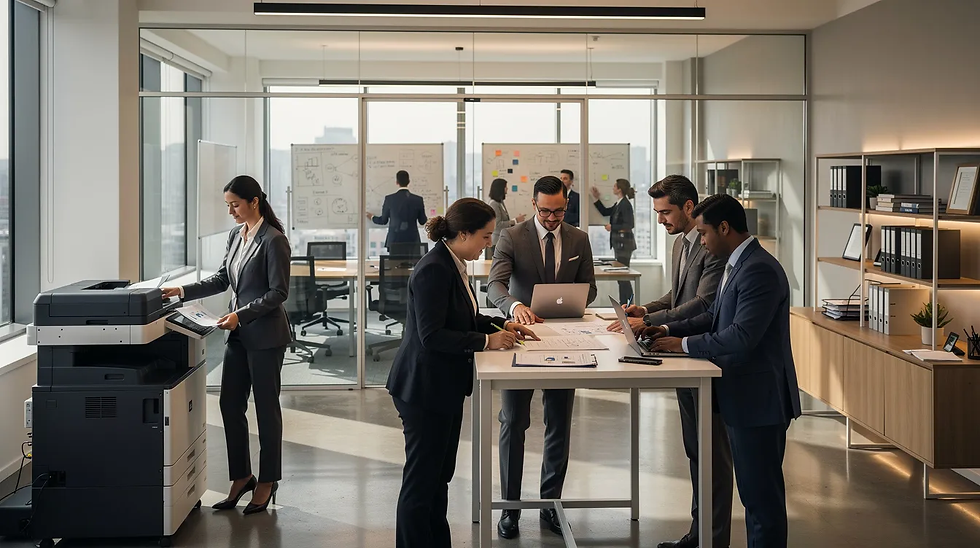
How Kyocera’s Ceramic Drum Technology Reduces Downtime
Ceramic drum technology is central to Kyocera’s consistent performance. These drums deliver stable image quality over time, which means fewer quality complaints and reduced emergency service calls.
Here’s how this translates to practical benefits:
Uniform halftone reproduction maintained over 500,000+ pages prevents streaks, faded areas, and banding
Image defects that typically trigger 20-30% of service tickets in generic devices are largely eliminated
Proactive scheduling becomes possible—swap components during lunch hours or after office close instead of reacting to mid-day breakdowns
Maintenance intervals of 300,000-600,000 pages versus 50,000-150,000 for generics halve interruptions over a 3-5 year lease cycle
This innovative technology means less noise at the printer, fewer queues, and more uninterrupted work time. Equipment life extends significantly, reducing environmental impact through less waste going to landfill.
Smart Features That Prevent Everyday Office Disruptions
Beyond hardware durability, Kyocera office printers address “soft” disruptions: user errors, login problems, misrouted jobs, and paper handling issues.
User-friendly interfaces reduce IT calls:
Intuitive touchscreens with animated guides resolve 80% of jams and toner issues in under 5 minutes
Clear on-screen instructions walk users through basic troubleshooting without outside help
Advanced security features that Kyocera machines offer—such as password security, user authentication, and data overwriting—protect sensitive information while simplifying access
Kyocera implements data protection measures, including the ability to overwrite and erase hard drive data before decommissioning devices, to safeguard sensitive information
Secure print release and user authentication prevent chaos:
Jobs held until PIN release stop printed materials piling up on trays
Data encryption protects documents throughout the print process
User authentication ensures only authorized staff access specific functions
Mobile printing capabilities support hybrid workflows:
Print from phones, tablets, or directly from cloud repositories via AirPrint, Mopria, and Google Cloud Print
Seamless integration with Microsoft 365 and Google Workspace reduces workarounds
Staff avoid bottlenecks at desktop PCs, supporting scalable solutions for distributed teams
These features collectively reduce paper usage errors and micro-interruptions over the course of a week—not just major breakdown events. Kyocera printers are designed with energy-efficient technology, which helps reduce electricity use during idle periods and lowers overall energy consumption. Lower energy consumption during idle periods further supports sustainability goals while cutting carbon footprint.
Lower Service Calls, Predictable Costs, and Happier Staff
Consistency delivers financial and cultural benefits beyond technical performance. Kyocera ensures that fewer service calls translate to cost savings and reduced frustration.
Quantified benefits over a 36-month lease:
Service callouts drop from 12 per year to just 2-4, saving $1,000-3,000 annually for mid-sized fleets
Hours reclaimed from managing supplies and coordinating repairs
Total cost of ownership reduced by 20-30% through lower total cost of downtime
Simplified consumables management:
Replacing only toner (not drums) at each cycle shrinks budgets by approximately 30%
Simpler inventory means fewer replacements to track and order
Staff spend less time managing supplies, boosting increased productivity
For regional or community-based organizations where a technician might be hours away, Kyocera’s longer service intervals are particularly valuable. Cost efficiency improves when devices run reliably without emergency interventions.
Improved uptime and calmer office workflows directly link to happier staff and better customer response times—Kyocera products help teams focus on their actual work.
Choosing the Right Kyocera Device to Minimize Disruptions
When planning a 2026 refresh or adding devices to an existing fleet, use this practical checklist:
Evaluate your requirements:
Expected monthly page volume (ECOSYS for under 20,000 pages, TASKalfa for 50,000+)
Color versus mono requirements based on actual usage
Finishing needs: stapling, sorting, booklet-making
Dedicated departmental devices versus shared hubs
Confirm key specifications:
Long-life drum ratings of 500,000+ pages
Separate toner and drum design for reduce costs over time
Recommended maintenance intervals matching your duty cycle
Validate before committing:
Check independent reliability data from sources like Keypoint Intelligence
Arrange a trial or demo to see how the right device handles real workloads
Confirm seamless integration with existing document management solutions
The goal is not just speed or price—it’s a configuration that keeps day-to-day operations running quietly and consistently, meeting the diverse needs of your organization.
Summary: Consistency as a Strategic Advantage
Kyocera copiers and printers combine long-life components, ECOSYS and TASKalfa engineering, and user-centric features to reduce office disruptions over the full equipment life.
Key benefits to remember:
Fewer breakdowns and service visits through ceramic drum technology
Smoother user experiences via user friendly interfaces and guided troubleshooting
Predictable running costs through reduced maintenance and fewer replacements
Environmental responsibility through energy efficient design to minimize waste
Kyocera's cartridge-free design and energy-efficient toners support sustainability goals by reducing waste and energy consumption. Additionally, Kyocera's ECO footPRINT™ program facilitates the recycling of empty toner cartridges, supporting environmental responsibility and sustainability.
Consistency becomes a strategic advantage: when document workflows are reliable, teams focus on clients, students, or projects instead of printers. Kyocera offers this reliability as a core design principle.
When evaluating your next MFP or printer procurement, factor in disruption-related benefits alongside headline speeds and purchase price. In a fast paced world where every hour counts, consistent performance is a top priority.
FAQ
How does Kyocera help if my office prints relatively low volumes?
Even in low-volume offices, Kyocera’s long-life drums and separate toner design reduce intervention frequency and minimize waste. Unlike some devices that suffer from dried-out parts when underused, Kyocera machines maintain reliability regardless of print patterns. For low-volume environments, ECOSYS desktop models provide the same consistency focus in a smaller footprint at a lower overall investment. Fewer service visits and simple toner changes still matter for small teams without dedicated IT support.
What kind of training do staff need to keep Kyocera devices running smoothly?
Most users need only a short introduction—typically 20-30 minutes—covering core tasks like replacing toner, clearing simple paper jams, and using secure print release. Kyocera devices include on-screen instructions and status alerts that walk users through basic troubleshooting without external help. Administrators should provide a quick reference guide or short induction for new starters to minimize user-related disruptions and support consistent performance.
Can Kyocera printers integrate with our existing cloud and document systems?
Many current Kyocera models support scanning to network folders, email, and common cloud platforms via apps or connectors. This helps avoid manual, disruption-prone workflows that slow teams down. Confirm compatibility with your specific systems—Microsoft 365, Google Workspace, or DMS platforms—when selecting a model. Smooth integration reduces the need for workarounds like USB sticks, which often cause delays and errors in busy offices.
How often should a Kyocera device be serviced in a typical office?
The exact interval depends on page volume, but many Kyocera devices are designed so regular user maintenance (toner, simple cleaning) is sufficient between scheduled service visits. Use manufacturer duty cycle guidelines and actual monthly print data to plan proactive, off-peak servicing instead of waiting for a breakdown. This approach is easier with Kyocera’s long-life parts, which are less likely to fail unexpectedly—supporting a greener environment through extended equipment life.
What happens if something still goes wrong with a Kyocera device?
No device is completely immune to issues, but Kyocera’s simpler internal design and fewer moving parts usually make faults quicker to diagnose and resolve. Remote diagnostics and clear error codes help technicians arrive prepared, reducing on-site time and disruption. Work with a support partner who offers clear SLAs, spare-part availability, and loan units for mission-critical environments. This ensures minimal impact even when the unexpected occurs.


Comments