
Best Kyocera Copiers for Small vs Mid-Sized Business (2025–2026 Guide)
Key Takeaways
Small offices (1–20 users): Kyocera ECOSYS desktop MFPs like the ECOSYS M5526cdw and M2040dn deliver excellent cost efficiency for monthly print volumes under 20,000 pages.
Kyocera classifies its copiers into two main series: ECOSYS for small businesses and TASKalfa for mid-to-large enterprises.
Mid-sized businesses (20–200 users): Kyocera TASKalfa A3 MFPs such as the TASKalfa 2554ci, 3554ci, and 4054ci handle high volume printing with advanced finishing and longer duty cycles.
All 2024–2025 models support wireless connectivity, mobile printing, and cloud integration for hybrid teams.
Advanced security features including user authentication and data encryption come standard across both product families.
Match your choice to your specific business need and monthly print volume—not just initial purchase price—to minimize total cost of ownership over 5 years.
Introduction: Small vs Mid-Sized Business Copier Needs
Kyocera printers have earned a strong reputation among small businesses and medium sized businesses for reliability, low operating costs, and long life components that reduce maintenance costs dramatically. Choosing the right copier is crucial for maintaining productivity and achieving high-quality results. In this guide, “small business” means 1–20 staff printing up to 10,000–20,000 pages per month, while “mid-sized business” refers to 20–200 employees often producing 20,000–80,000+ pages monthly.
Kyocera copiers are known for their innovation and commitment to quality, and they cater to diverse business needs by ensuring high-quality output and seamless workflows. We’ll separate recommendations into two clear groups—best Kyocera copiers for small offices and best options for mid sized offices—focusing on models actively sold through 2025–2026, so you can confidently choose Kyocera copiers for your business.

How to Choose Between ECOSYS and TASKalfa for Your Office
Kyocera offers two main families of office equipment: ECOSYS (compact A4 desktop units designed for smaller workspaces) and TASKalfa (larger A3 workgroup devices built for high-volume printing and robust performance).
Choose ECOSYS when you need:
Desktop or credenza placement in small offices
Monthly volumes under 20,000 pages
Tighter budgets and simpler finishing needs
Duty cycles of 50,000–150,000 pages
Choose TASKalfa when you need:
High volume printing needs exceeding 50,000 pages monthly
A3 paper capacity and advanced finishing (stapling, booklets)
Multiple paper drawers and large paper capacity
Duty cycles of 200,000+ pages
Advanced features such as high-quality output, security, speed, and versatility for demanding office environments
ECOSYS technology uses long-life drums to reduce waste, making it environmentally friendly, while TASKalfa devices are designed for higher duty cycles and graphic-intensive color printing.
Don’t overbuy—a well-chosen ECOSYS multifunction printer often outperforms an oversized device that sits underutilized.
Best Kyocera Copiers for Small Businesses (1–20 Employees)
This section covers freelancers, home offices, and small teams printing under 20,000 pages per month. When choosing the best copier for a small business, it's important to consider specific needs such as print volume, budget, and workflow requirements. Most recommendations are compact ECOSYS multifunction devices that balance affordability, small footprint, and ease of use.
The best Kyocera copiers for small businesses are the ECOSYS M2635dw and ECOSYS MA2100cwfx, as they provide compact, budget-friendly, and durable performance.
Small businesses typically require cost-effective, space-saving devices that do not compromise on reliability.
Kyocera ECOSYS M5526cdw – Best Color MFP for Small Offices
The ECOSYS M5526cdw is a compact A4 color office copier ideal for 3–10 users needing print scan copy functionality with vibrant color quality for brochures and proposals.
Key features:
Print speeds up to 26 pages per minute (color and mono)
1200 dpi output for exceptional color accuracy
Wireless connectivity and mobile printing support
Automatic duplex and 50-sheet ADF
This business copier handles 5,000–7,500 pages monthly while maintaining productivity. Its secure print release protects sensitive information in shared spaces. Limitations: A4 only, no stapling, and not suited for high volume environments.
Kyocera ECOSYS M2040dn – Best Budget Monochrome MFP for Start-Ups
The ECOSYS M2040dn delivers cost effective monochrome printing for startups focused on invoices, contracts, and internal paper documents.
High speed printing at 42 pages per minute
Compact design fits tight spaces
Network-ready with automatic duplex
Recommended for 2,000–10,000 pages monthly
This office printer excels at low total cost per page thanks to high-yield toners. It becomes undersized once you grow beyond 10–12 regular users or add color printing needs.
Kyocera ECOSYS M3860idnf – High-Speed Monochrome Workhorse for Busy Small Teams
For busy small teams in legal or accounting, the ECOSYS M3860idnf offers high speed performance without compromising performance.
62 pages per minute with dual-scan ADF (120 ipm)
Fax capability and robust security features
User authentication and secure print integration
Supports 10–20 heavy users
This model fits businesses with high volume monochrome needs that don’t yet require a full TASKalfa device. Consider stepping up only if you need A3 output or advanced finishing.
Kyocera ECOSYS M5521cdw or P5026cdw – Affordable Color for Very Small Teams
These entry-level color devices suit micro-businesses needing occasional high quality color output—small marketing agencies, consultants, or retail counters printing signage.
Best for 500–2,000 color pages monthly. Once volumes consistently exceed 3,000 color pages, evaluate TASKalfa models for better economies of scale.
When a Small Business Should Jump Up to TASKalfa
Warning signs it’s time to upgrade:
Frequent paper refills and long queues
Device running near maximum duty cycle
Staff waiting at the copier regularly
Monthly volumes exceeding 10,000–15,000 pages
Fast-growing small teams can sometimes save money by starting directly with a TASKalfa 2554ci. Have a specialist review your meter reads before deciding.
Best Kyocera Copiers for Mid-Sized Businesses (20–200 Employees)
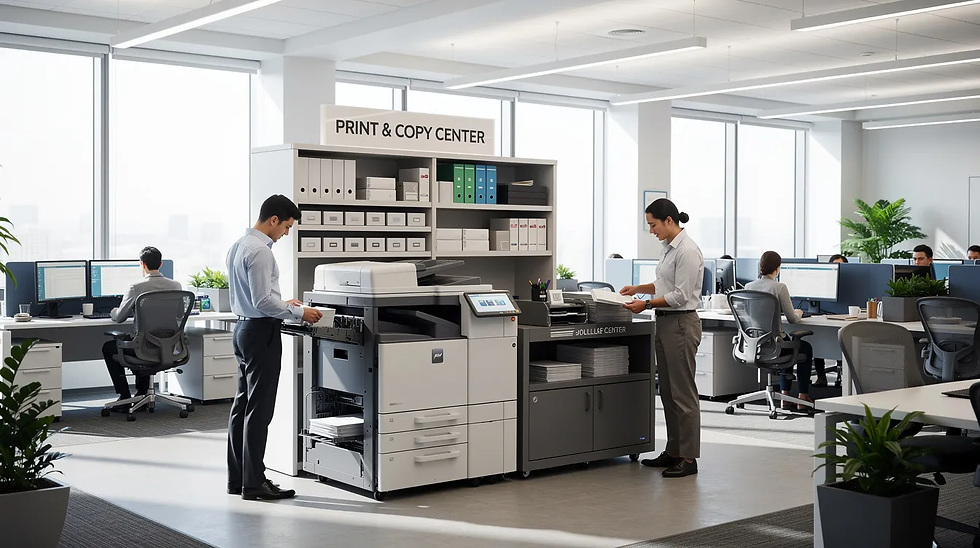
Multi-department offices, professional services firms, schools, and healthcare practices need reliability, robust security, and finishing capabilities. Mid-sized businesses usually require TASKalfa units for higher print volumes and larger paper handling capabilities. These TASKalfa A3 MFPs handle 20,000–80,000+ pages monthly.
Affordable leasing options make copiers accessible without a significant upfront investment, allowing businesses to choose flexible leasing terms that fit their budget and upgrade as their needs grow.
Kyocera TASKalfa 2554ci – Versatile Entry-Level A3 Color for Growing Offices
The TASKalfa 2554ci offers A3 capability with high quality output for 10–25 users printing 10,000–30,000 pages monthly.
25 ppm color/mono with multiple tray options
Optional finishers for stapling and hole punching
Large intuitive interface with customizable workflows
Cloud integration for daily operations
Kyocera TASKalfa 3554ci – Balanced Powerhouse for Mid-Sized Workgroups
This dependable choice suits departments like finance or school offices with 20–40 users and 20,000–60,000 pages monthly.
35 ppm with advanced security (data encryption, secure boot)
High-capacity feeders and booklet finishing
Low total cost of ownership over 5 years
Energy efficient design meeting Energy Star standards
Kyocera TASKalfa MA4500ci – Flexible Color MFP for Departments with Mixed Workloads
The MA4500ci handles mixed workloads—daily B&W documents plus color presentations and customer collateral.
45 ppm with 120 ipm scanning
Optional card authentication for secure print
Perfect match for marketing departments
Reduces main hub congestion
Kyocera TASKalfa 4054ci and 5054ci – High-Volume Color for Core Office Hubs
These multifunction devices serve as central hubs for offices with high volume needs—30–60 users producing 40,000–100,000 pages monthly.
40–50 ppm with 7,150-sheet paper capacity
Advanced finishing: stapling, offset stacking, booklets
Granular user tracking for cost allocation
Robust security for compliance requirements
Kyocera ECOSYS MA3500cifx – Departmental Color in a Compact Footprint
For departments needing their own color device without A3, the MA3500cifx offers 35 ppm in an eco friendly design.
Ideal for branch offices or marketing teams printing proofs. It complements TASKalfa hubs by offloading smaller jobs and ensuring maximum uptime at main locations.
Kyocera TASKalfa 7054ci-Series for Very Demanding Mid-Sized Environments
Large offices with high volume printing needs approaching production levels should consider the 7054ci series—60–70 ppm with 300,000+ page duty cycles. This tier suits organizations with in-house print rooms but may be overkill for typical mid-sized volumes.
Key Buying Criteria: Small vs Mid-Sized Business Use Cases
Model numbers can confuse—focus on these key factors:
Criteria | Small Business | Mid-Sized Business |
Monthly volume | Under 20,000 pages | 20,000–80,000+ pages |
Paper size | A4 sufficient | Often needs A3 |
Finishing | Basic duplex | Stapling, booklets |
Security | Secure print | Audit logs, compliance |
Acquisition | Buy or short lease | 36–60 month lease |
Real scenarios: A 10-person design studio thrives on an M5526cdw until hitting 15,000 pages, then upgrades to a 2554ci. A 120-person law firm deploys a 3554ci centrally plus MA3500cifx satellites to avoid queues.
Small vs Mid-Sized: Quick Model Matching Guide
5-person startup, mostly B&W: ECOSYS M2040dn
10-person office needing color proposals: ECOSYS M5526cdw
Busy small legal firm (15 users, heavy documents): ECOSYS M3860idnf
50-person office with two departments: TASKalfa 3554ci hub + ECOSYS MA3500cifx per department
100+ person organization with central copy room: TASKalfa 4054ci or 5054ci
Have your past 3–6 months of meter readings ready when talking to a Kyocera dealer to find the perfect copier match.
Conclusion: Choosing the Right Kyocera Copier for the Next 5 Years
Kyocera’s ECOSYS line serves small businesses and satellite teams brilliantly, while TASKalfa models handle mid-sized workgroups and high-traffic hubs with fewer breakdowns and lower energy consumption. The term 'best copier' is subjective and depends on your business's print volume, budget, and required workflow. Kyocera copiers help maintain your budget over time due to their low operating costs and energy-efficient designs. They are also built for productivity and can handle high-volume printing demands. Choosing based on honest volume assessment and growth plans saves more money than chasing the lowest price.
Treat your copier choice as a 5-year investment in productivity, security, and workflow efficiency. Contact today a Kyocera-focused specialist or local dealer to validate the right copier for your unique print environment.
FAQ
How long should a Kyocera copier last in a small or mid-sized business?
With proper maintenance and genuine supplies, most Kyocera models are deployed for 5–7 years. ECOSYS devices in low-volume small offices may last longer in calendar years, while high-volume TASKalfa units hit their designed life sooner. Kyocera’s long-life drums and fusers—lasting 300,000 to 600,000 pages—dramatically reduce part replacements compared to competitors. Schedule periodic service checks and firmware updates to maintain peak performance.
Is it better to lease or buy a Kyocera copier for a small business?
Many small businesses prefer leasing over 36–60 months to preserve capital and bundle maintenance. Outright purchase makes sense for very low-volume environments where a modest ECOSYS device won’t need replacement for years. Compare total 5-year cost of ownership rather than looking only at the sticker price—leases often include supplies and service that add up when purchased separately.
Can a small business start with an ECOSYS and later upgrade to TASKalfa easily?
Yes. Many Kyocera dealers structure agreements allowing mid-term upgrades as companies grow. It’s common to redeploy the original ECOSYS to a branch location once a central TASKalfa is installed. Consistent interfaces and drivers across Kyocera models make user transitions straightforward. Discuss upgrade paths and trade-in options at your initial purchase.
Do I really need an A3 (TASKalfa) device, or is A4 enough?
Many businesses discover they rarely need true A3—A4 ECOSYS MFPs handle nearly all everyday work in digital-first workflows. Industries creating large format charts or training posters benefit from A3 capability. Review your last year of print jobs before assuming A3 is essential; you may avoid over-investing in features you won’t use.
How many users can share one Kyocera copier without performance issues?
Desktop ECOSYS MFPs typically suit 5–10 active users, while mid-range TASKalfa devices support 20–40 regular users. Total monthly page count and peak usage patterns matter more than headcount. Busy mid-sized offices often deploy multiple devices—a central TASKalfa hub plus smaller ECOSYS units near departments—to prevent bottlenecks. Monitor print queues as a sign you may need additional capacity.



Comments